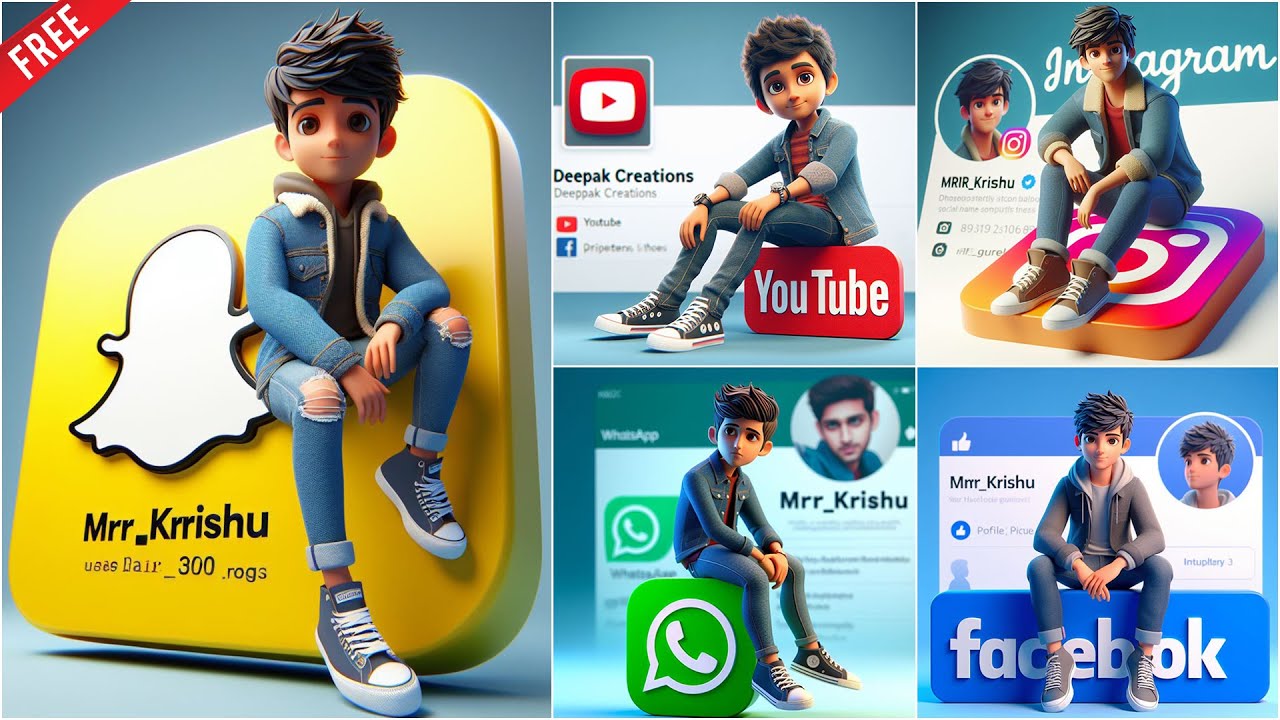
How to Make a 3D Character Sitting on a Social Media Icon Picture Using AI
In the fast-paced world of digital content creation, combining creativity with cutting-edge AI tools can help you stand out online. One trendy design that’s gaining popularity is the 3D character sitting on a social media icon — a playful, engaging, and brand-friendly image that grabs attention on platforms like Instagram, TikTok, and LinkedIn.
In this guide, you’ll learn step-by-step how to make a 3D character sitting on a social media icon picture using AI tools — with no 3D modeling skills required.
Why Use a 3D Character on Social Media Icons?
Using AI-generated 3D art helps to:
- Add personality to your brand or profile.
- Make your content visually unique.
- Increase social engagement by leveraging modern aesthetics.
- Save time and money compared to traditional 3D modeling or hiring artists.
Let’s dive into the process.
Tools You’ll Need
You can complete this project using these AI-powered tools:
- Leonardo AI / MidJourney / DALL·E 3 – for generating 3D-style character images.
- Canva / Fotor / Pixlr – for editing and composing the final image.
- Remove.bg or Cleanup.pictures – for background removal or refining visuals.
- ChatGPT – to help you craft detailed prompts.
Step-by-Step Guide to Creating the Image
Step 1: Decide Your Concept and Platform
Before generating any visuals, define:
- The character type (e.g., cartoon, stylized human, animal mascot).
- The social media platform (e.g., Instagram, Facebook, Twitter/X, TikTok).
- The style (realistic 3D, Pixar-style, anime 3D, voxel, etc.)
Example: “A cute 3D girl character sitting playfully on a large Instagram logo, Pixar-style.”
Step 2: Generate the 3D Character with AI
Use Leonardo AI, MidJourney, or DALL·E to create your 3D character.
Example Prompt for MidJourney or Leonardo:
Tips:
-
Add descriptors like “volumetric lighting”, “realistic shadows”, or “white background” to improve visual quality.
-
Generate multiple variations to choose the best composition.
Step 3: Isolate or Edit the Images
If the background isn’t clean, use:
- Remove.bg to isolate your character and icon.
- Or edit directly in Canva using its background remover (Pro version).
You may also want to:
- Resize or reposition the character.
- Overlay the character onto a high-quality social media icon.
- Adjust shadows to make it appear like the character is sitting naturally on the icon.
Step 4: Compose the Final Image
Use Canva or Pixlr to bring it all together.
Steps:
- Upload your cleaned-up 3D character.
- Place the social media icon underneath the character.
- Add light shadow effects under the character to create depth.
- Resize and align the character so it appears naturally seated on the logo.
- Add a gradient or minimalist background for a polished look.
Step 5: Export and Use
- Export the final design in high resolution (PNG or JPEG).
- Use it as a profile picture, social media post, YouTube thumbnail, or marketing graphic.
Bonus: AI Tools to Explore for Advanced Features
- Runway ML – for AI video creation if you want to animate your character.
- Blender + AI plugins – for more customization if you’re feeling technical.
- Luma AI or Spline – to build interactive 3D scenes with little code.
SEO Tips If You’re Posting It
If you’re creating a blog or content around your image:
- Use keywords like “3D character with AI”, “AI art social media icon”, or “create AI character image”.
- Include alt text with relevant keywords.
- Embed meta tags and schema markup if possible for higher visibility.
Final Thoughts
Creating a 3D character sitting on a social media icon using AI is no longer limited to skilled designers or expensive software. With the right tools and creative vision, anyone can generate professional-quality visuals in minutes.
So, whether you’re a content creator, marketer, or just looking to upgrade your profile picture, this AI-powered method can help you make your brand truly stand out.
Ready to get started? All you need is a good prompt, a creative spark, and a few powerful tools — and you’re only a few clicks away from a viral-ready visual!